

AI App Design for Beginners: Your Guide to Visualizing Apps
How can beginners use AI to design an app?
Beginners can use AI to design an app by leveraging AI-powered tools that translate abstract ideas into visual interfaces, generate wireframes, and optimize user experiences based on simple text prompts. These tools democratize the design process, allowing those without formal design training to rapidly prototype and iterate on app concepts, transforming their visions into tangible designs efficiently.
Key Takeaways
AI app design democratizes the process, making it accessible for founders and creators without traditional design experience.
AI acts as a design accelerator, significantly shortening conceptualization and prototyping phases by automating repetitive tasks and generating diverse design options.
The global AI-powered design tools market is experiencing rapid growth, projected to reach USD 26.5 billion by 2033, indicating strong industry adoption.
Effective AI app design relies on clear and specific prompting, iterative refinement, and critical human oversight to ensure designs are both functional and empathetic.
Platforms like Appthatdesigns empower users to transform app ideas into clear visual designs, streamlining the journey from concept to a review-ready design.
For startup founders, entrepreneurs, and creators with groundbreaking app ideas but limited design experience, the journey from concept to a tangible visual often feels like navigating a dense fog. The traditional design process, with its steep learning curves and significant time investment, can be a formidable barrier. However, the emergence of AI app design for beginners is fundamentally reshaping this landscape, transforming abstract visions into concrete, visually engaging designs with unprecedented speed and accessibility. As Jessica Ramirez, a Digital Interface Specialist with over a decade of experience, often emphasizes, AI is democratizing design, making it a powerful ally for those looking to bring their innovative app concepts to life without extensive prior design expertise.
Demystifying AI App Design for Beginners: Your Creative Co-Pilot
AI app design is a revolutionary approach that leverages artificial intelligence to assist in the conception, prototyping, and refinement of application interfaces and user experiences. It serves as an indispensable co-pilot, guiding users through complex design decisions and automating many of the laborious tasks traditionally associated with UI/UX development. This paradigm shift challenges the conventional wisdom that high-quality app design demands deep technical design proficiency or extensive formal training. Instead, AI empowers non-designers to rapidly prototype and iterate on sophisticated UI/UX concepts, effectively amplifying human creativity rather than replacing it. It’s about giving founders the tools to visually articulate their vision, reducing the friction between idea and execution.
The Paradigm Shift: AI as a Design Accelerator, Not a Replacement
The notion that AI diminishes human creativity in design is a common misconception. In reality, AI functions as an unparalleled accelerator and democratizer of design exploration, providing powerful tools that empower even novice users. The global AI-powered design tools market exemplifies this growth, projected to surge from USD 4.4 billion in 2023 to USD 26.5 billion by 2033, demonstrating a compound annual growth rate (CAGR) of 19.6% (Source: AI-Powered Design Tools Market Size | CAGR of 19.6%, October 2024). This explosive growth underscores a clear market demand for technologies that streamline and enhance the design process. For entrepreneurs and creators, this means the ability to explore a multitude of design variations and refine concepts at speeds previously unimaginable with traditional methods. Generative AI tools, for instance, can significantly shorten product design lifecycles, sparking innovation by enabling designers to explore more ideas and product experiences, including previously unimagined ones, and develop initial design concepts significantly faster (Source: McKinsey, March 2024).
The increasing adoption rate among small businesses further illustrates this shift. In 2025, 58% of small businesses reported actively using generative AI tools, a significant leap from just 23% in 2023 (Source: U.S. Chamber of Commerce via Lexington Institute, October 2025). This data highlights a growing confidence among smaller enterprises in leveraging AI to drive their creative and operational processes. AI doesn't remove the human element; it elevates it, allowing founders to focus on the core user problem and creative direction, while the AI handles the repetitive, technical aspects of design generation. This synergy allows for a richer, more diverse range of design possibilities that directly align with the founder's initial vision, making platforms like Appthatdesigns an invaluable asset.
How Does AI Streamline Your App Design Process?
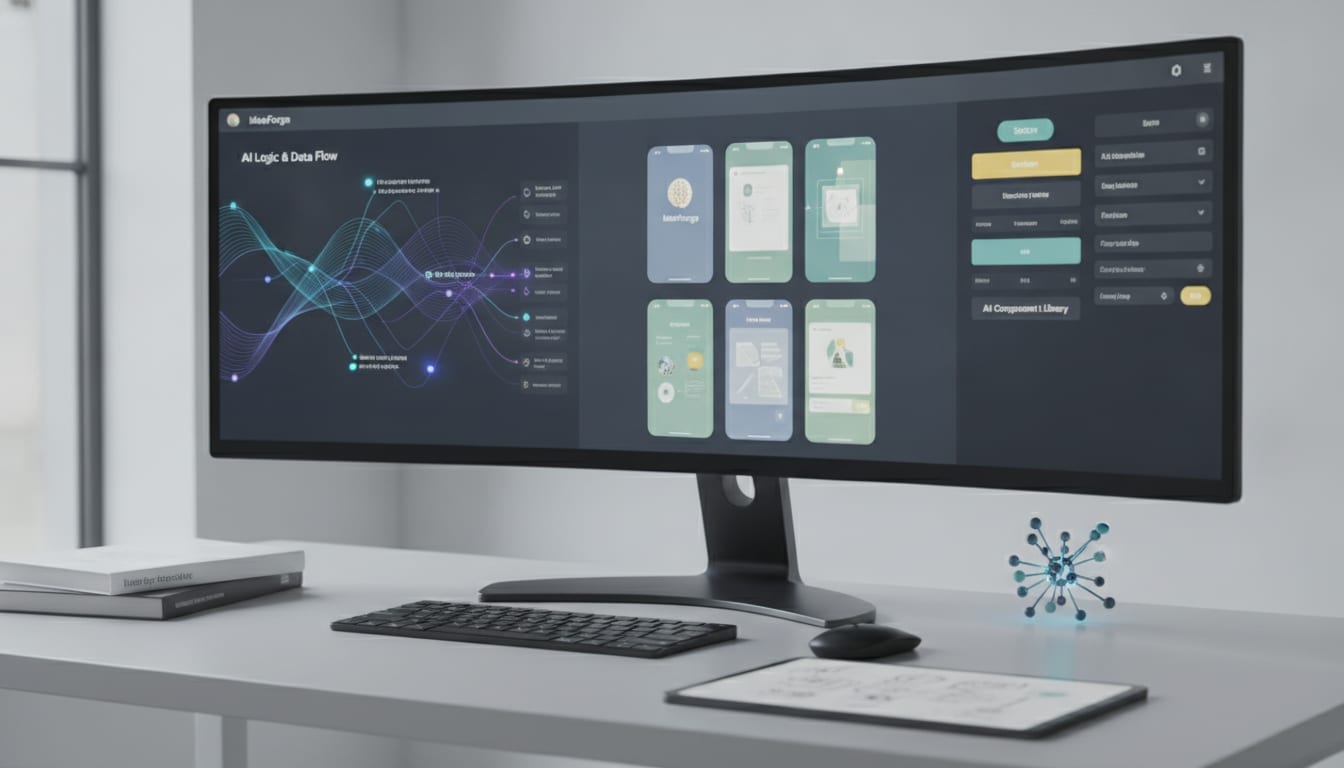
AI tools offer a multi-faceted approach to streamlining the app design process, making it more efficient and accessible for beginners. From initial brainstorming to visual refinement, AI acts as an intelligent assistant at every stage.
From Idea to Interface: AI-Powered Ideation
The first hurdle for many beginners is translating a raw idea into a visual concept. AI-powered ideation tools excel here, capable of generating initial layouts, suggesting features, and even proposing user flows based on simple text descriptions. This capability allows founders to quickly visualize multiple design directions without needing to draw a single wireframe manually. It's like having an instant brainstorming partner that never runs out of ideas, providing a foundation for further refinement.
Rapid Wireframing and Prototyping with Generative AI
Once an initial concept is established, AI accelerates the creation of wireframes and prototypes. Generative AI can produce high-fidelity mockups from basic inputs, allowing for immediate visual feedback. This rapid prototyping cycle is crucial for testing assumptions early and often. Industry surveys in 2023 indicated that AI-assisted prototyping reduced manual interface layout adjustments by nearly 28% for product designers, significantly cutting down on development time (Source: UI and UX Design Software Market [2035] Size, Trends & Forecast, March 2026). This efficiency gain translates directly into faster iterations and a quicker path to a market-ready design.
Optimizing User Flow and Screen Planning
Understanding how users will navigate an app is paramount to its success. AI can analyze common user patterns and suggest optimal screen sequences and navigational structures. This helps beginners design intuitive user flows that enhance usability and engagement. By predicting user behavior, AI assists in crafting a seamless journey through the app, minimizing friction and maximizing satisfaction.
Crafting Visual Identity and Branding
Beyond structure, AI can also contribute to the visual aesthetics and branding of an app. It can suggest color palettes, typography, and icon styles that align with the app's purpose and target audience. This ensures a consistent and appealing visual identity, even for those without a background in graphic design. The ability to explore various visual themes rapidly allows founders to pinpoint the aesthetic that best communicates their brand's essence.
Essential Principles for Effective AI App Design
While AI offers incredible power, harnessing it effectively requires understanding a few core principles. These guidelines ensure that the AI serves as a true assistant, enhancing your vision rather than dictating it.
Clarity in Prompting
The quality of AI-generated design is directly proportional to the clarity and specificity of your prompts. Beginners should focus on providing detailed descriptions of their app's purpose, target audience, key features, and desired aesthetic. Think of the AI as an incredibly talented but literal assistant; the more precise your instructions, the better the output. Experiment with different keywords and descriptive phrases to guide the AI towards your ideal design.
Iterative Refinement
AI design is not a one-shot process; it's iterative. Begin with broad prompts to generate initial concepts, then progressively refine your instructions based on the AI's output. Treat each AI-generated design as a starting point, not a final product. Continuously provide feedback and new prompts to guide the AI closer to your desired outcome. This iterative loop is where the true power of AI for beginners lies, enabling a continuous cycle of exploration and improvement.
Understanding AI's Strengths and Limitations
Recognize that AI excels at pattern recognition, rapid generation, and automating repetitive tasks. However, it may lack the nuanced understanding of human empathy, cultural context, or highly specific brand personality that a human designer brings. Use AI for generating variations, exploring layouts, and accelerating workflows, but always apply your own critical judgment and user-centric perspective to ensure the design truly resonates with your audience. This human oversight is crucial for developing an app that is not only functional but also emotionally intelligent.
What Are Common Pitfalls in AI-Driven App Design?
While AI offers immense advantages, beginners must be aware of potential pitfalls to avoid suboptimal outcomes. Navigating these challenges ensures a more successful and user-centric design process.
Over-Reliance Without Critical Review
A significant mistake is to blindly accept AI-generated designs without critical evaluation. AI, while powerful, can sometimes produce generic or uninspired results if not properly guided. It's essential for founders to review every output through the lens of their unique vision and user needs, questioning whether the design truly solves the problem and stands out in the market. The human eye and critical thinking remain irreplaceable.
Lack of Human Empathy in UX
AI models are trained on vast datasets, but they don't inherently possess human empathy or a deep understanding of complex emotional user journeys. Designs generated solely by AI might be functional but could lack the nuanced emotional connection or intuitive feel that comes from human-centered design principles. Founders must inject their understanding of their target users' emotions, motivations, and pain points to ensure the app's user experience is truly empathetic and engaging. As Jessica Ramirez often advises, "AI provides the canvas and the brushes, but the soul of the design still comes from human insight."
Ignoring Brand Consistency
Without careful guidance, AI might generate disparate design elements that don't align with a cohesive brand identity. For startups, establishing a strong and consistent brand is vital. Beginners should ensure that their prompts clearly articulate brand guidelines, including colors, fonts, and tone, to maintain uniformity across all app screens and interactions. This prevents a fragmented user experience and reinforces brand recognition.
Leveraging Appthatdesigns for Your AI Design Journey
Platforms like Appthatdesigns are specifically engineered to empower founders, creators, and teams in their AI app design journey. Our platform allows you to describe your app idea and then uses AI to intelligently shape its interface, screens, and user experience. This hands-on approach directly addresses the needs of individuals who have a brilliant app concept but require assistance in translating it into a clear visual design. By providing an approachable way to explore interfaces and plan screens, Appthatdesigns helps you develop a clear visual direction before committing to extensive development. For a deeper dive into foundational concepts, explore our AI app design basics guide.
Our system values clear prompts and useful screen designs, fostering an efficient process that moves from an initial idea to a review-ready design. Whether you're a startup founder taking your first steps in design or a product designer seeking to explore layout ideas and refine user flows, Appthatdesigns offers a streamlined pathway to establish a consistent design direction. The goal is to accelerate your conceptualization phase, making design accessible and intuitive.
The Future of App Design with AI
The trajectory of AI in app design points towards an even more integrated and intuitive future. We are on the cusp of a new era where AI tools will not only assist but also anticipate design needs, offering hyper-personalized user experiences. The global generative AI in design market, valued at $741.11 million in 2024, is projected to surge to an impressive $13.94 billion by 2034 (Source: Onething Design Studio, September 2025). This exponential growth signifies a strong industry belief in AI's transformative potential. AI will continue to evolve, moving beyond generating static designs to creating dynamic, adaptive interfaces that respond in real-time to user behavior and context. This will further democratize design, enabling even more individuals to bring their innovative ideas to fruition with sophisticated, AI-powered assistance. The future is about collaborative intelligence, where human creativity and AI efficiency converge to build truly remarkable digital experiences.
Conclusion
AI app design for beginners is not merely a trend; it's a fundamental shift empowering a new generation of creators. By serving as a creative co-pilot, AI removes significant barriers to entry, allowing startup founders and entrepreneurs to transform abstract app ideas into visually compelling and functional designs. Embracing AI, with a clear understanding of its strengths and limitations, enables faster iteration, deeper exploration, and ultimately, the creation of more impactful and user-centric applications. The journey from a nascent idea to a polished app design has never been more accessible or efficient, thanks to the intelligent assistance that AI provides.
Frequently Asked Questions
What is AI app design?
AI app design involves using artificial intelligence tools and algorithms to assist in creating, prototyping, and refining application interfaces (UI) and user experiences (UX). It automates repetitive tasks and generates design variations based on user prompts.
Do I need design experience to use AI for app design?
No, AI app design tools are specifically designed to democratize the design process, making it accessible to beginners, startup founders, and entrepreneurs with limited or no prior design experience. They act as a co-pilot, guiding users through the design journey.
How accurate are AI-generated app designs?
The accuracy and relevance of AI-generated designs largely depend on the clarity and specificity of the prompts provided. While AI can produce highly functional and aesthetically pleasing designs, human oversight and iterative refinement are crucial to ensure the designs align with unique vision and user empathy.
Can AI help with user experience (UX) design?
Yes, AI can significantly assist with UX design by analyzing user patterns, suggesting optimal user flows, and helping to structure screen sequences for enhanced usability. It helps in predicting user behavior and crafting more intuitive navigational experiences.
What are the best practices for prompting AI in design?
Best practices include providing clear, detailed, and specific descriptions of your app's purpose, target audience, key features, and desired aesthetic. It's also important to engage in iterative refinement, starting with broad prompts and gradually narrowing down your instructions based on AI outputs.